
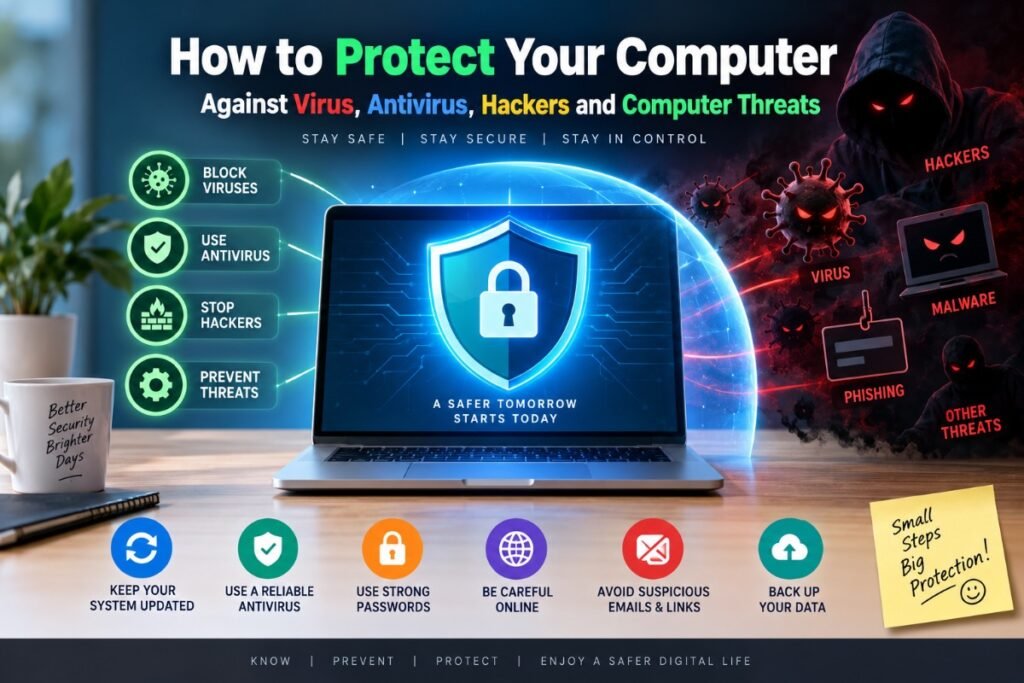
Computer viruses, antivirus software, hackers, and the phrase 'we repair computers' might seem like separate topics, but they are all connected by one thing: the safety of your personal data and the health of your machine. Whether you use your computer for work, study, shopping or keeping in touch with family, the threats targeting everyday users have become more sophisticated and more common. This guide is written to help you understand what those threats actually look like, what you can do to protect yourself, and when it is time to call in a professional.

At We Repair Computers Harwich, we see the consequences of inadequate protection regularly — machines brought in from across Harwich, Dovercourt, Manningtree and beyond, often by people who had no idea anything was wrong until the damage was already done. The good news is that most infections and intrusions are preventable with the right approach.
What Viruses and Malware Actually Do
The term 'virus' gets used loosely, but it covers a wide range of threats. A virus is a type of malicious software (malware) that attaches itself to files and spreads through your system. Other forms of malware include spyware, which silently monitors your activity; ransomware, which locks your files until you pay a fee; adware, which floods your screen with adverts; and trojans, which disguise themselves as legitimate programmes.
These threats do not always make themselves obvious. Some slow your computer down gradually, others run entirely in the background, harvesting passwords or financial details without any visible sign. By the time most people notice something is wrong, the malware has often been active for days or weeks. If you want to understand more about what happens when a laptop is compromised, our article on virus, spyware and laptop hacks goes into the detail of what is actually happening under the surface.
How Hackers Get In
Hackers rarely break through the front door. Most of the time, they rely on human behaviour rather than technical wizardry. Phishing emails are one of the most common entry points — messages that look legitimate but contain links or attachments designed to install malware or steal your login credentials. A convincing email pretending to be from your bank, a delivery company, or even a government department can fool anyone if they are not paying close attention.
Other common routes include outdated software with known security vulnerabilities, weak or reused passwords, unsecured public Wi-Fi networks, and downloading software from untrustworthy sources. Remote desktop tools, which became widely used during the shift to home working, can also be exploited if not properly secured. Understanding how access is gained is the first step in closing those doors.
Choosing the Right Antivirus Protection
Not all antivirus software is created equal, and the market is crowded with options ranging from free tools to comprehensive security suites. For most home users, a reputable paid antivirus programme — from providers such as Bitdefender, ESET, Norton or Malwarebytes Premium — offers a meaningful step up from free alternatives. These typically include real-time scanning, ransomware protection, web filtering and regular threat database updates.
That said, antivirus is one layer of protection, not a complete solution on its own. It needs to be kept up to date, and it works best alongside good habits rather than as a substitute for them. If you are unsure which product suits your needs or whether your current setup is actually protecting you, our virus removal and security service includes a full assessment of your machine's current state and practical recommendations going forward.
Keep Your Software and System Updated

One of the most straightforward and most overlooked steps in protecting a computer is keeping everything updated. Windows updates, macOS updates, browser updates, and application updates all frequently include security patches that close known vulnerabilities. When you delay or ignore these, you leave known gaps open for attackers to exploit.
This applies to every piece of software on your machine, not just the operating system. Browsers, PDF readers, media players and office applications are all targeted regularly. Enable automatic updates wherever possible, and do not dismiss update prompts as an inconvenience — they are often more important than they appear.
Passwords, Two-Factor Authentication and Safe Browsing
A strong password policy makes a significant difference. Using the same password across multiple accounts is one of the most common mistakes people make — if one service is breached, every account sharing that password becomes vulnerable. A password manager such as Bitwarden or 1Password makes it practical to use unique, complex passwords for every account without needing to memorise them.
Two-factor authentication (2FA) adds a second layer of verification — usually a code sent to your phone — so that even if a hacker obtains your password, they still cannot access your account. Enable it on your email, banking, and any other important accounts. When browsing, stick to websites with HTTPS in the address bar, avoid clicking links in unsolicited emails, and be cautious about what you download and from where.
Back Up Your Data Regularly
No security measure is infallible, which is why regular backups are essential. If ransomware encrypts your files or a virus corrupts your system, a recent backup means the difference between a stressful afternoon and a catastrophic loss of years of documents, photos, and work files.
The recommended approach is the 3-2-1 rule: keep three copies of your data, on two different types of storage, with one copy stored off-site or in the cloud. An external hard drive combined with a cloud backup service such as OneDrive, Google Drive or Backblaze covers this well. If you have lost data already and need it recovered, our team offers reliable data recovery in Harwich and can often retrieve files even from heavily damaged or infected drives.
When to Get Professional Help
Some situations call for more than a software scan. If your computer is behaving erratically, running slowly despite restarts, displaying unusual pop-ups, or if you suspect your personal details have been compromised, professional assessment is the right move. Attempting to remove complex malware without the right tools can sometimes make the situation worse, particularly with rootkits or persistent ransomware that embeds itself deeply into the operating system.
At We Repair Computers Harwich, we carry out thorough diagnostics before recommending any course of action. Customers from Clacton-on-Sea, Colchester, Frinton-on-Sea, Mistley and across Essex regularly bring machines to us that have been struggling for weeks. In many cases, a professional clean and security setup gets them running properly again within the same day. Our approach is always honest — if a repair is not worth doing, we will tell you that plainly. You can read more about what to look for in a trustworthy local repair service in our guide on finding the right computer repair shop.
Protecting your computer from viruses and hackers does not require technical expertise — it requires consistent habits and the right tools in place. Keep your software updated, use strong and unique passwords, install reputable antivirus protection, and back up your data regularly. These steps alone will put you in a significantly stronger position than the majority of home users.
If you are based in Harwich, Dovercourt, Walton-on-the-Naze, or anywhere across Essex and you have concerns about your computer's security, the team at We Repair Computers Harwich is here to help. Call us on +447773886309 or visit www.werepaircomputers-harwich.co.uk to book a diagnostic. No jargon, no hard sell — just straightforward advice from people who know what they are talking about.
Frequently Asked Questions
Need help with your computer?
Bring it to our Harwich workshop or call us to talk it through with a technician.